
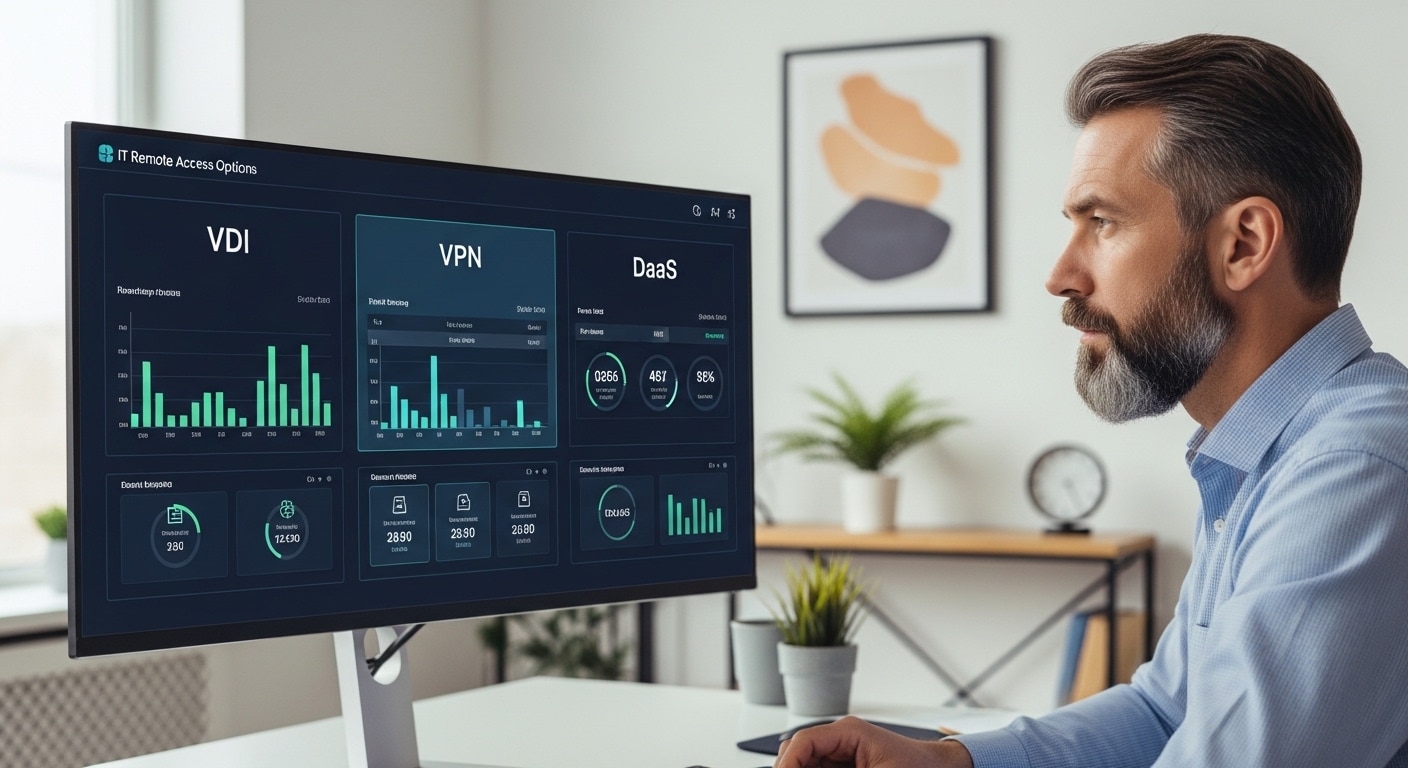
Access used to be simple. You were inside the corporate network, and everything just worked. That assumption doesn’t really hold anymore.
Remote work is now built into how organizations operate. Teams are spread out, devices vary, and cloud-based services sit at the center of daily workflows. You’re expected to provide secure access without slowing people down, which sounds manageable until you start deciding how.
VDI, VPN, and DaaS are often grouped together, though they solve very different problems. One connects you to a network. Another delivers a full desktop. The third removes much of the infrastructure entirely.
The choice affects security, cost, and performance. In this guide, you’ll understand how each option actually works and where it fits.
What Is a VPN and How Does It Actually Work?
Start with the simplest piece, because this is usually where most setups begin. A Virtual Private Network, or VPN, is a software solution that creates a secure connection between your device and your organization’s private network. You’re not physically inside the office, but the system treats you as if you are. That’s the idea, at least.
It works by building an encrypted tunnel over a public network. When you connect through a VPN client, your data is wrapped, protected, and sent through that tunnel before it reaches the corporate network. Anyone intercepting it along the way sees well, nothing useful.
That sounds secure, and it is, to a point. But here’s where people tend to misunderstand it. A VPN doesn’t give you a desktop. It doesn’t create a virtual workspace. It simply connects your device to the network, which means whatever is on your device is now part of that environment. Good or bad.
What Is a VPN and How It Actually Works?

Start with the simplest piece, because this is usually where most setups begin. A Virtual Private Network, or VPN, is a software solution that creates a secure connection between your device and your organization’s private network. You’re not physically inside the office, but the system treats you as if you are. That’s the idea, at least.
It works by building an encrypted tunnel over a public network. When you connect through a VPN client, your data is wrapped, protected, and sent through that tunnel before it reaches the corporate network. Anyone intercepting it along the way sees well, nothing useful.
But here’s where people tend to misunderstand it. A VPN doesn’t give you a desktop. It doesn’t create a virtual workspace. It simply connects your device to the network, which means whatever is on your device is now part of that environment. Good or bad.
That detail matters more than it first appears.
- VPN creates an encrypted tunnel between your device and the corporate network
- Users access internal resources remotely, such as files, apps, or internal systems
- Works best for quick access to specific tools or data, not full desktop environments
It’s straightforward. Useful. But also limited in ways that become clearer once you look at alternatives.
What Is VDI and How Does Virtual Desktop Infrastructure Work?
If VPN connects you to a network, VDI goes a step further. It changes where your desktop actually lives.
Virtual Desktop Infrastructure, or VDI, is a setup where your entire desktop environment is hosted somewhere else, usually in a data center or a private cloud. Instead of relying on your local machine, you connect to a remote desktop that runs on a centralized server. What you see on your screen is just a stream of that environment.
Underneath, it’s built on virtual machines. Each user gets their own virtual desktop environment, complete with operating systems, applications, files, and access settings. It feels like a normal desktop, but it isn’t tied to your physical device.
Your data stays within the centralized infrastructure. Your device becomes more of a window than a storage point. You log in, work, log out, and the core environment remains secure in the background.
There’s also a level of control here that some organizations rely on heavily. IT teams manage everything, the infrastructure, updates, security settings, access permissions. They can customize environments, enforce policies, and integrate with existing systems in ways that are difficult with simpler tools.
But that control comes with responsibility. You’re managing servers, storage, performance, and ongoing maintenance inside your own data center or private cloud.
VDI gives you a full virtual desktop, tightly controlled and highly customizable. It just asks more from your infrastructure in return.
What Is DaaS and How Does It Deliver Virtual Desktops?

Desktop as a Service, DaaS, takes the same idea behind VDI and moves it out of your hands. Instead of building and managing your own infrastructure, a third-party provider handles it for you. The desktops still exist in the cloud, still run on virtual machines, still deliver a full desktop environment. You just don’t maintain the backend.
It’s a cloud based service, which means the infrastructure, updates, security patches, all of it sits with the provider. You access your desktop through the internet, usually via a browser or lightweight client. Log in, and your workspace appears. No heavy setup on your side.
The model is different too. DaaS runs on a subscription model, so you pay based on usage. That can be easier to manage compared to large upfront investments, though it depends on how it’s structured. Costs can be predictable, until they’re not, but that’s another discussion.
What stands out is scalability. You can add users, remove them, adjust capacity without reworking infrastructure. That flexibility tends to matter more as teams grow or change shape.
And access is wide open, in a controlled way. From almost any device, anywhere, as long as there’s a stable connection.
DaaS solutions don’t remove complexity entirely. They relocate it. But for many organizations, that trade feels reasonable.
What Are the Differences Between VDI vs VPN vs DaaS?
VPN, VDI, DaaS, all three show up in conversations about remote access, and it’s easy to assume they solve the same problem. They don’t. Not really.
The difference comes down to what you’re actually delivering. A VPN is a connection. VDI is infrastructure. DaaS is a managed service built on that infrastructure. Same general direction, very different depth.
Here’s how the differences play out:
| Feature | VPN | VDI | DaaS |
|---|---|---|---|
| Function | Network access | Virtual desktop | Cloud desktop service |
| Infrastructure | None | On-prem or private cloud | Cloud provider |
| Security Scope | Network-level | Data isolation | Built-in security |
| Cost | Low | High upfront | Subscription-based |
| Management | Minimal | IT-managed | Provider-managed |
| Access | Apps/resources | Full desktop | Full desktop |
| Scalability | Limited | Hardware-dependent | Highly scalable |
That table looks neat. Real-world decisions aren’t always. VPN is lightweight, but limited. VDI gives centralized control, but adds complexity.
DaaS reduces infrastructure burden, though it introduces reliance on a provider. The comparison isn’t about which is better overall. It’s about what problem you’re actually trying to solve.
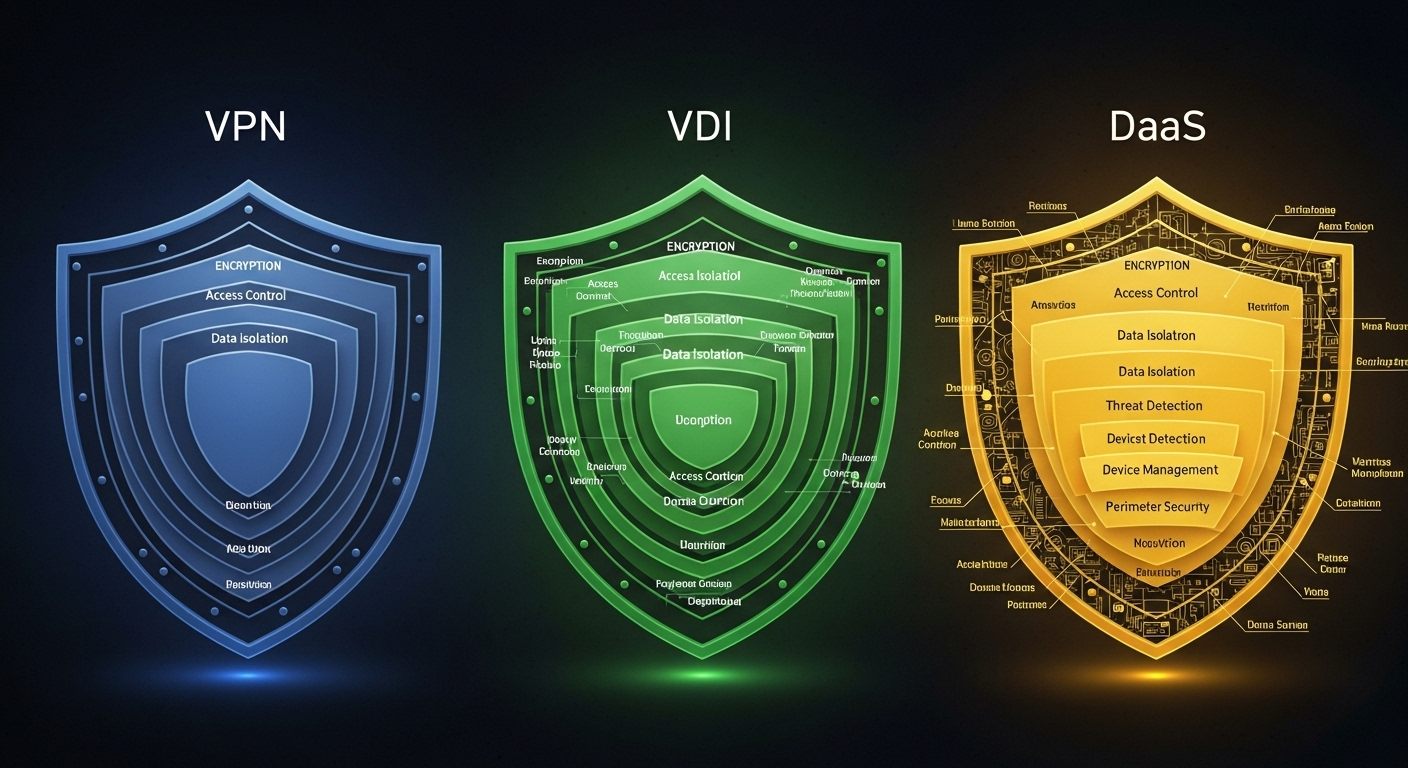
How Do Security Models Compare Across VPN, VDI, and DaaS?
Security is where these three approaches start to separate in a more serious way. Not just in features, but in how risk is handled, and where it actually lives.
With a VPN, security sits at the network level. You create a secure connection, an encrypted tunnel, into the corporate network. That part works as expected. The issue shows up after the connection is established. Your device becomes part of the network. If that device is compromised, the risk travels inward. Quietly. That’s the trade.
VDI takes a different path. Instead of extending the network outward, it keeps the environment contained. Your desktop runs on centralized servers, and sensitive data stays there. You interact with it remotely, but the data itself doesn’t move to your local device. That separation reduces exposure, especially across unmanaged endpoints.
DaaS follows a similar principle, but builds on it. The desktop still lives remotely, but now within a cloud environment managed by a provider. Many DaaS platforms include built in security measures, layered access controls, monitoring, and tighter integration with identity systems. It aligns more naturally with secure remote access models where trust is continuously evaluated.
There’s also the question of endpoint risk. VPN depends heavily on the security of the user’s device. VDI and DaaS reduce that dependency by isolating data away from endpoints.
- VPN grants full network access, increasing risk if the endpoint device is compromised
- VDI isolates data in centralized servers, reducing exposure to local device risks
- DaaS isolates data in cloud environments with built in security measures and controlled access
- Both VDI and DaaS reduce the attack surface compared to VPN-based access
- Encryption exists in all three, but the scope and level of protection differ significantly
None of these models are inherently insecure. But they prioritize different things. And that tends to shape how risk unfolds over time.
What Are the Cost and Infrastructure Differences?
Cost is usually where the conversation gets practical. Not theoretical, not architectural, just, what are you actually paying for, and how much effort sits behind it.
VPN is the lightest option. Setup is relatively simple, costs are low, and you don’t need much in terms of additional hardware. It’s often seen as a cost effective solution, especially for smaller teams. But that simplicity comes with limits. You’re not managing desktops, just access.
VDI sits at the other end. It requires significant upfront investment. Servers, storage, networking, all part of the package. You’re building and maintaining infrastructure inside your own environment, which adds operational overhead. Internal IT teams handle everything, from deployment to ongoing maintenance.
Then there’s DaaS. The model changes. Instead of capital expenses, you’re looking at a subscription. You pay for what you use, and the provider manages the backend infrastructure. That reduces the need for additional hardware, though it introduces ongoing costs that need to be tracked carefully.
Here’s how the differences typically break down:
| Cost Factor | VPN | VDI | DaaS |
|---|---|---|---|
| Setup Cost | Low | High | Low |
| Hardware | Minimal | Extensive | None |
| IT Effort | Low | High | Moderate |
| Ongoing Costs | Low | High | Subscription |
| Flexibility | Limited | Medium | High |
Which Solution Performs Better for Remote Work?

Performance is where expectations meet reality. Everything looks fine on paper, until someone logs in from a slower network and things start to lag.
With VPN, performance often drops as usage increases. You’re routing traffic through an encrypted connection, which adds overhead. For remote users accessing large files or multiple systems, that can slow things down. Sometimes noticeably, sometimes just enough to be frustrating.
VDI tends to be more stable. The desktop runs on centralized infrastructure, so processing happens closer to the data. That reduces dependency on the user’s device. But it comes with its own weight. It’s resource-heavy, and if the backend isn’t sized properly, performance can dip there instead.
DaaS sits somewhere in between. It offers flexibility and consistent access across locations, but it relies heavily on your internet connection. A strong network connection makes it feel smooth. A weak one, and latency or performance issues start to show up quickly.
So there isn’t a single winner here. VPN struggles under load. VDI performs well with the right infrastructure. DaaS depends on network conditions more than anything else. In practice, performance is less about the model, and more about how well it’s implemented.
Which Solution Is Best for Different Use Cases?
Not every organization needs the same thing. Some need tight control. Others just need access that works without friction. That difference tends to decide everything.
Each solution fits different business needs:
- VPN: Best for quick access to internal systems from company-issued devices without requiring full desktop environments, especially when users only need specific tools or limited resources.
- VDI: Ideal for enterprises needing strict control, compliance, and support for legacy systems within their own infrastructure, particularly where centralized management and customization are non-negotiable.
- DaaS: Best for organizations needing scalable, flexible access to virtual desktops without managing backend infrastructure, making it a practical option for growing teams or changing workloads.
- Healthcare and regulated industries: Prefer VDI for strict compliance and sensitive data control, where data must remain within controlled environments and access is tightly governed.
- Education and remote teams: Prefer DaaS for scalability and rapid provisioning of desktop environments, especially when users change frequently across semesters or project cycles.
- Distributed teams: Use VPN for lightweight access across remote locations, though it’s often combined with VDI or DaaS when more secure or structured environments are required.
The pattern is fairly consistent. VPN handles access. VDI handles control. DaaS handles flexibility. Most organizations end up somewhere in between, not fully one, not fully the other.
What Are the Limitations of VPN, VDI, and DaaS?

No option is perfect. Each one solves a problem, but quietly introduces another. VPN is simple, but that simplicity comes with limits. It gives you access, not control.
You’re relying on the security of the endpoint device, and that’s not always something you can guarantee. If the device is compromised, the network is exposed. That’s the uncomfortable part.
VDI offers more control, but it’s not lightweight. You’re dealing with infrastructure, ongoing maintenance, and costs that don’t stay static. It works well when managed properly, but it demands attention, and resources, consistently.
DaaS reduces that infrastructure burden, though it introduces a different kind of dependency. You’re relying on a provider, and on stable internet connectivity. If performance dips, or the connection isn’t reliable, the experience can suffer. Not always, but enough to matter.
- VPN lacks application-level control and depends heavily on endpoint security
- VDI requires ongoing maintenance, infrastructure management, and dedicated IT resources
- DaaS depends on internet connectivity, which can affect performance and reliability
- All three have trade-offs, and the right choice depends on your specific use case
The limitations aren’t flaws. They’re boundaries. Understanding them early helps avoid surprises later.
Why DaaS Is Emerging as the Preferred Modern Alternative?
Something interesting has been happening. Quietly, at first, then more noticeably. Organizations that once leaned on VPN or invested heavily in VDI are starting to reconsider how much complexity they actually need. DaaS tends to sit in that middle ground, and for many, it feels like enough.
It’s simpler. You’re not building infrastructure from scratch, not managing servers, not constantly adjusting backend systems. The cloud based service handles most of that. Your role becomes lighter, more focused on access and policy rather than maintenance.
There’s also scalability. You can grow or reduce your environment without touching physical hardware. Add users, remove them, adjust capacity, all without disrupting existing workflows. That kind of flexibility matters more when teams aren’t static.
Compared to VPN, DaaS offers more structure. You’re not just connecting devices to a network, you’re delivering a full, controlled desktop experience. Compared to VDI, it removes a layer of complexity that many teams don’t want to carry anymore.
It’s not perfect, nothing is. But it aligns well with how organizations operate today. Less infrastructure, more centralized management, and a clearer path to business continuity when things don’t go as planned.
Why Apporto Offers a Smarter DaaS Approach?

At some point, even DaaS can start to feel heavier than expected. Tools to install, environments to configure, small things that add up over time. That’s where a different approach starts to stand out.
Apporto keeps things lighter. It delivers a full desktop through the browser. No client installs, no complicated setup on the user’s device. You open a browser, log in, and your workspace is ready. It sounds almost too simple, but that simplicity removes a lot of friction for both users and IT teams.
There’s no infrastructure to manage on your side. No servers to maintain, no backend systems to keep tuning. The cloud service handles it, quietly in the background. That reduces overhead and frees up time for things that actually need attention.
Deployment is fast. User experience stays consistent across devices. And the environment remains secure without feeling restrictive. Try Now.
Final Thoughts
VPN gives you access. Quick, familiar, but limited in control. VDI gives you full control over the virtual desktop environment, though it comes with complexity and ongoing responsibility. DaaS sits somewhere in between, offering a balance between flexibility and centralized management without requiring you to own the infrastructure.
There isn’t a universal answer. The right choice depends on how your teams work, how much control you need, and how much complexity you’re willing to manage.
Remote access isn’t just about getting in, it’s about how safely and efficiently you stay there. In the end, it’s less about choosing the best technology, more about choosing the right fit.
Frequently Asked Questions (FAQs)
1. What is the difference between VPN, VDI, and DaaS?
VPN provides secure access to a corporate network, but relies on the user’s device. VDI delivers a full virtual desktop from a centralized server. DaaS offers a similar desktop experience, but it’s managed by a cloud provider instead of internal IT teams.
2. Which is more secure: VPN, VDI, or DaaS?
VDI and DaaS are generally more secure because they keep sensitive data off local devices and inside controlled environments. VPN encrypts connections, but still exposes the network if a compromised device gains access through that secure tunnel.
3. Is DaaS better than VDI?
DaaS can be easier to manage and more flexible, especially for organizations without large IT teams. VDI offers deeper control and customization. The better option depends on whether you prioritize simplicity and scalability or control and infrastructure ownership.
4. When should you use a VPN instead of VDI or DaaS?
VPN works best when users only need access to specific internal systems or files, not a full desktop. It’s suitable for lightweight use cases where company-issued devices are trusted and full virtualization isn’t necessary.
5. Does DaaS replace VPN?
Not entirely. DaaS can reduce reliance on VPN by providing secure access through virtual desktops, but some organizations still use VPN alongside it for network-level access to certain internal services or legacy systems.
6. Which solution is most cost-effective?
VPN is usually the lowest cost upfront. VDI requires significant investment in infrastructure and maintenance. DaaS offers a subscription-based model that can be cost-effective over time, depending on usage, scalability needs, and provider pricing.
