

Something has been quietly changing in how you work. Not all at once, more like a gradual drift away from desks tied to a single machine.
Virtual desktop infrastructure, or VDI, sits right in the middle of that change. It offers a different approach, one where your desktop isn’t locked to physical hardware but delivered through a network. With just an internet connection, you can access the same desktop environment from almost anywhere.
That flexibility matters more now. Remote work, hybrid teams, and users working across multiple devices have pushed organizations to rethink traditional desktop setups. Maintaining physical desktops, upgrading hardware, managing costs, it all adds up faster than expected.
So the focus shifts toward secure remote access, centralized management, and scalable virtual environments. In this guide, you’ll explore how VDI actually delivers those benefits.
What Is Virtual Desktop Infrastructure and How Does It Work?
Virtual desktop infrastructure, usually shortened to VDI, means your desktop no longer lives inside your physical machine. Instead, it’s hosted on centralized servers, often inside a data center, and delivered to you over a network. So what you see on your screen isn’t running locally, it’s being streamed from somewhere else.
Underneath that experience, a few pieces work together. Virtual machines act like individual computers, each with its own operating system and desktop image. A connection broker quietly routes you to the right desktop when you log in. And behind all of it sits the central server, handling the heavy lifting.
Here’s where it becomes efficient. A single physical server can run multiple virtual desktops at once, each isolated, each behaving like a separate system. You connect through an internet connection, using a laptop, a thin client, sometimes even a personal device.
That’s the main difference from a physical desktop. Traditional setups depend on local hardware. VDI moves everything into a centralized environment.
And the result, more often than not, is consistency. You log in from different devices, different locations, and still get the same desktop waiting for you.
What Are the Types of VDI Deployments?

Not all virtual desktops behave the same way. That part matters more than it first appears, because the way your VDI environment is set up will quietly shape how people actually use it day to day.
There are two primary approaches.
Persistent VDI gives each user a desktop that sticks. Your settings, files, preferences, they stay in place between sessions. It feels familiar, almost like using your own personal machine, just hosted somewhere else. This is why it works well for knowledge workers who rely on customized tools or specific configurations. Over time, that continuity becomes important.
Then there’s non-persistent VDI, which works differently. Each time you log in, you get a fresh desktop. Clean, standardized, no history carried forward. Once the session ends, that desktop is essentially wiped and rebuilt for the next use.
It’s efficient, predictable, and often used in task-based environments where consistency matters more than personalization. Persistent environments tend to require more storage, since each user’s setup needs to be saved and maintained.
How Does VDI Compare to Traditional Desktop Infrastructure?
| Feature | VDI | Traditional Desktops |
|---|---|---|
| Access | Remote, anytime | Physical location |
| Hardware | Centralized servers | Individual devices |
| Management | Centralized IT management | Device-by-device |
| Scalability | High | Limited |
| Security | Centralized controls | Device dependent |
With traditional desktops, everything depends on the physical machine sitting in front of you. Hardware upgrades, maintenance, replacements, it all happens device by device. Over time, that becomes time-consuming. Expensive too, though not always immediately noticeable.
VDI approaches this differently. Instead of spreading resources across individual systems, it pulls everything into a centralized environment. That alone reduces reliance on constant hardware refresh cycles. Fewer moving parts on the edge.
Management follows the same pattern. Updates, patches, configurations, handled from one place rather than across dozens or hundreds of machines. Security improves in a similar way, because controls are applied centrally, not left to individual devices that may or may not be properly maintained.
What Are the Benefits of Virtual Desktop Infrastructure?
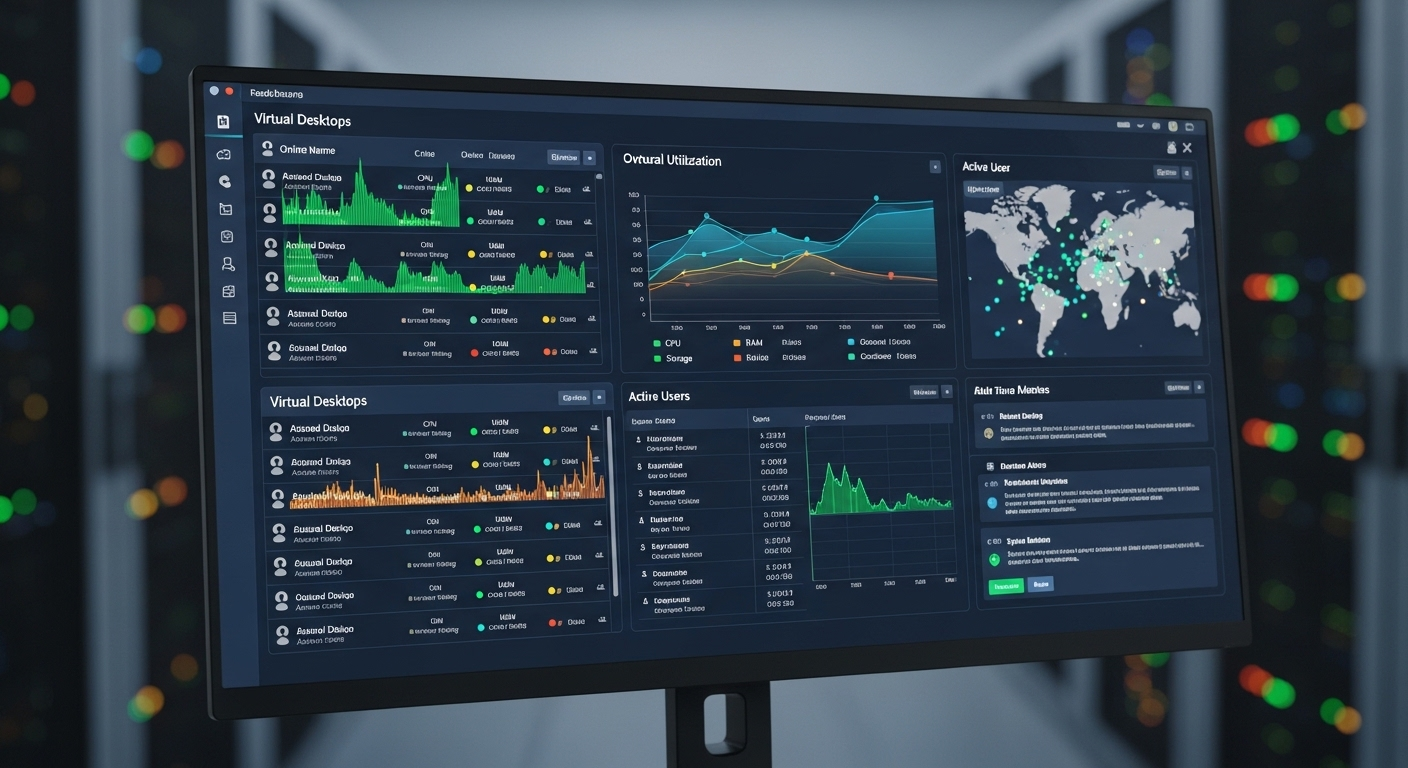
If you step back for a moment, the appeal of VDI isn’t tied to just one advantage. It’s more like a collection of small improvements that, over time, start to feel significant. Sometimes unexpectedly so.
Virtual desktop infrastructure benefits:
- Centralized Management: Manage desktop environments, updates, and applications from a central server, allowing IT teams to deploy changes across all users almost instantly, without touching individual machines.
- Cost Efficiency: Reduce hardware costs and ongoing maintenance expenses, with some organizations reporting savings of up to 30% in desktop management alone. It adds up quicker than you’d think.
- Secure Remote Access: Provide seamless remote access to virtual desktops from any device, while keeping company data within the centralized environment rather than scattered across endpoints.
- Enhanced Data Security: Keep sensitive data on centralized servers instead of local devices, lowering the risk associated with lost or compromised hardware. Less exposure, fewer surprises.
- Scalability: Provision new desktops quickly to support additional users, short-term projects, or sudden growth, without the need to purchase and configure new physical systems.
- Support for Remote Work: Enable remote users to access the same desktop environment from different locations, maintaining continuity without relying on specific devices.
- Bring Your Own Device (BYOD): Allow users to work from personal devices while keeping company data separate and protected within the virtual environment.
- Improved Resource Utilization: Allocate computing resources dynamically across virtual machines, so performance can adjust based on demand rather than fixed hardware limits.
- Disaster Recovery: Enable faster backups and recovery processes, helping reduce downtime when systems fail or unexpected incidents occur.
- Consistent User Experience: Deliver the same desktop environment across devices and locations, reducing friction when switching between systems.
- Faster Onboarding: Provision desktops in minutes, removing delays tied to hardware setup and manual configuration.
How Does VDI Improve Security and Compliance?
Security, in many environments, tends to break at the edges. Lost laptops, outdated software, inconsistent access controls. Small gaps that add up. VDI changes where those risks live.
With virtual desktop infrastructure, data doesn’t sit on individual machines. It stays inside centralized servers, often within a controlled data center. That alone reduces exposure. If a device is lost or compromised, the actual data isn’t traveling with it. It remains in the system, protected behind layers of controls.
Those controls matter. Encryption protects data both at rest and in transit, making it harder for unauthorized access to translate into usable information. Access management ensures users only reach what they’re allowed to, not everything available. And patching, handled centrally, keeps systems updated without relying on individual users to take action.
There’s also the compliance side. Many organizations need to meet standards like GDPR or HIPAA, especially when handling sensitive data. VDI supports that by keeping everything centralized, easier to monitor, easier to audit. Less scattered, more predictable.
That said, it’s not automatically secure. Misconfigured permissions can still open doors. Weak network security can expose the environment.
Which is why regular updates and continuous monitoring aren’t optional. They’re part of the system. Done properly, VDI doesn’t eliminate risk. But it narrows it, contains it, and makes it more manageable.
How Does VDI Support Remote Work and Digital Workspaces?

Work doesn’t really stay in one place anymore. Not consistently, anyway. You move between locations, devices, networks, sometimes all in the same day. That kind of movement used to create friction. Now, it’s almost expected.
VDI fits into that reality in a fairly direct way. It allows remote workers to access their virtual desktops from anywhere, as long as there’s a stable internet connection. No complicated setup, no dependency on a specific machine sitting in an office. You log in, and your environment appears.
What makes this useful, maybe more than anything else, is consistency. You’re not adjusting to different systems or reconfiguring tools every time you switch devices. The same desktop follows you. Same applications, same files, same layout. It removes a layer of mental overhead that people rarely talk about, but definitely feel.
There’s also room for personalization. In persistent VDI setups, your desktop becomes a highly personalized digital workspace, shaped around how you work, not just where you work. That continuity matters over time.
And then there’s access itself. Seamless, in most cases. Whether you’re working from home, a shared space, or a remote location entirely, the experience stays relatively stable.
It’s not perfect, of course. But it’s close enough to make remote work feel less like a workaround, and more like the default.
What Role Does VDI Play in IT Management and Operations?
If you’ve ever dealt with managing dozens, or hundreds, of physical machines, you already know where the friction lives. Updates here, failures there, inconsistent setups across departments. It rarely stays simple for long.
VDI changes that by pulling control into one place. Centralized IT management means desktops, applications, and configurations are handled from a central server instead of scattered across individual devices. That alone reduces a surprising amount of overhead.
Provisioning is where the difference becomes obvious. New desktops can be created quickly, sometimes in minutes. No waiting for hardware, no manual setup process that stretches longer than it should. For onboarding, especially, that speed matters more than expected.
Updates follow the same pattern. Patching and software changes are applied centrally, so you’re not relying on users to update their systems correctly, or at all. Everything stays more consistent. Less guesswork involved.
And over time, the workload shifts. IT teams spend less time troubleshooting individual machines and more time managing the environment as a whole. It’s still work, of course. Just more focused.
What Are the Challenges or Limitations of VDI?

For all its advantages, VDI isn’t without trade-offs. Some of them show up quickly. Others take a bit longer to surface.
The most obvious one is network dependency. VDI relies heavily on a stable internet connection, and performance is closely tied to both network quality and server capacity. If either one struggles, the user experience follows. There’s not much buffer there.
Then there’s the upfront investment. Setting up VDI infrastructure, servers, storage, software, requires planning and cost. It’s not always a small step, especially for organizations starting from traditional desktop setups.
Complexity is another layer. Managing a VDI environment isn’t necessarily simpler, just different. It requires careful configuration, ongoing monitoring, and a clear understanding of how resources are allocated. Missteps here can create issues that are harder to diagnose.
Storage can also become a factor, particularly in persistent VDI environments where each user’s desktop needs to be saved and maintained over time. That demand grows quietly in the background.
How Does VDI Compare to DaaS (Desktop as a Service)?
| Feature | VDI | DaaS |
|---|---|---|
| Hosting | On-premises | Cloud-based |
| Control | High | Provider-managed |
| Cost | High upfront | Subscription |
| Management | Internal IT | Outsourced |
With VDI, you keep control. Infrastructure sits within your own environment, managed by your IT team, configured to match specific needs. That control can be valuable, especially when customization or compliance requirements are strict. Though, it does mean more responsibility. More moving parts to handle.
DaaS takes a different route. The infrastructure is hosted in the cloud, managed by a third-party provider. You don’t deal with the underlying systems directly, which reduces the burden on internal teams. It’s simpler in that sense, but also less flexible in certain areas.
So the choice tends to come down to priorities.
VDI gives you control and customization. DaaS leans toward scalability and reduced operational effort. Neither is universally better, just suited to different situations.
How Is Virtual Desktop Infrastructure Evolving?
Things rarely stay still for long in this space. VDI, in particular, has been evolving quietly alongside broader changes in how infrastructure is built and delivered.
One noticeable direction is the growing influence of cloud environments. Even traditionally on-premises setups are starting to integrate with cloud services, creating more flexible architectures. Not fully cloud-based in every case, but certainly moving in that direction.
At the same time, improvements in virtualization technology are making VDI more efficient. Better resource allocation, faster provisioning, smoother performance, small refinements that gradually add up.
Scalability has improved as well. Expanding a VDI environment no longer feels as rigid as it once did. Systems can adjust more dynamically based on demand.
Why Apporto Simplifies Virtual Desktop Infrastructure?
Sometimes the complexity of VDI becomes the biggest barrier to using it effectively. Too many layers, too many dependencies, too many points where things can slow down.
Apporto approaches this differently. It’s a browser-based platform, which means access happens directly through a web interface. No installations, no heavy client setup, just a login and you’re in. That simplicity removes a surprising amount of friction.
Because everything runs in a centralized environment, control becomes easier to maintain. Applications, desktops, access, all managed from one place without relying on how each device is configured.
It’s designed to scale as well. Whether you’re supporting a small team or a larger organization, the system adjusts without requiring major infrastructure changes.
Final Thoughts
It rarely comes down to one deciding factor. Usually, it’s a combination, flexibility, security, cost, all pulling in the same direction over time.
VDI offers a way to step away from rigid desktop setups and move toward something more adaptable. You gain the ability to scale when needed, reduce reliance on physical hardware, and manage systems with more control than before. That alone can change how operations feel day to day.
There’s also the security angle, keeping data centralized, limiting exposure across devices. Not perfect, but noticeably more contained.
In the end, it depends on what your organization actually needs. Not every environment requires VDI. But when the fit is right, the benefits tend to build steadily.
Frequently Asked Questions (FAQs)
1. What is virtual desktop infrastructure (VDI)?
Virtual desktop infrastructure, or VDI, is a technology that hosts desktop environments on centralized servers instead of local machines. You access your desktop remotely through an internet connection, using different devices, while the actual processing happens in a data center.
2. What are the main benefits of VDI?
The main benefits include centralized management, cost savings, secure remote access, and scalability. VDI also allows you to provide a consistent desktop experience across devices while reducing dependency on physical hardware and simplifying IT operations over time.
3. Is VDI secure for businesses?
VDI can improve security by keeping sensitive data on centralized servers rather than on local devices. With proper encryption, access controls, and regular updates, it reduces exposure, though misconfigurations or weak network security can still introduce risks.
4. What is the difference between persistent and non-persistent VDI?
Persistent VDI provides users with a personalized desktop that retains settings and files between sessions. Non-persistent VDI delivers a fresh desktop each time you log in, which resets after use, making it suitable for task-based or shared environments.
5. Can VDI support remote work?
Yes, VDI is well suited for remote work. It allows users to access the same desktop environment from different locations and devices, as long as there is an internet connection, making it easier to maintain consistency across distributed teams.
6. How does VDI reduce costs?
VDI reduces costs by minimizing the need for expensive hardware, lowering maintenance efforts, and extending the life of existing devices. Centralized management also reduces the time IT teams spend on individual system support and updates.
7. What are the limitations of VDI?
VDI depends heavily on network connectivity and server performance. It can require a high initial investment and careful configuration. If not managed properly, issues like latency, storage demands, or security gaps can affect performance and reliability.
